What Are Receipt Scanner Apps and Which One Should You Use?
A solution guide to understanding receipt scanner apps, how they work, and how to choose the right one for your business—by ReceiptRecon.
Table of Contents
What Are Receipt Scanner Apps?
Receipt scanner apps are mobile or web applications that allow users to scan, digitize, extract, and store receipt data automatically using OCR (Optical Character Recognition) and AI (Artificial Intelligence).
They replace manual data entry by turning paper or digital receipts into searchable, categorized records.

Also known as: apps for scanning receipts, scan receipt apps, and scan your receipt app
Why Do Businesses Use Receipt Scanner Apps?
Businesses use apps for scanning receipts to reduce errors, save time, and maintain compliant financial records.
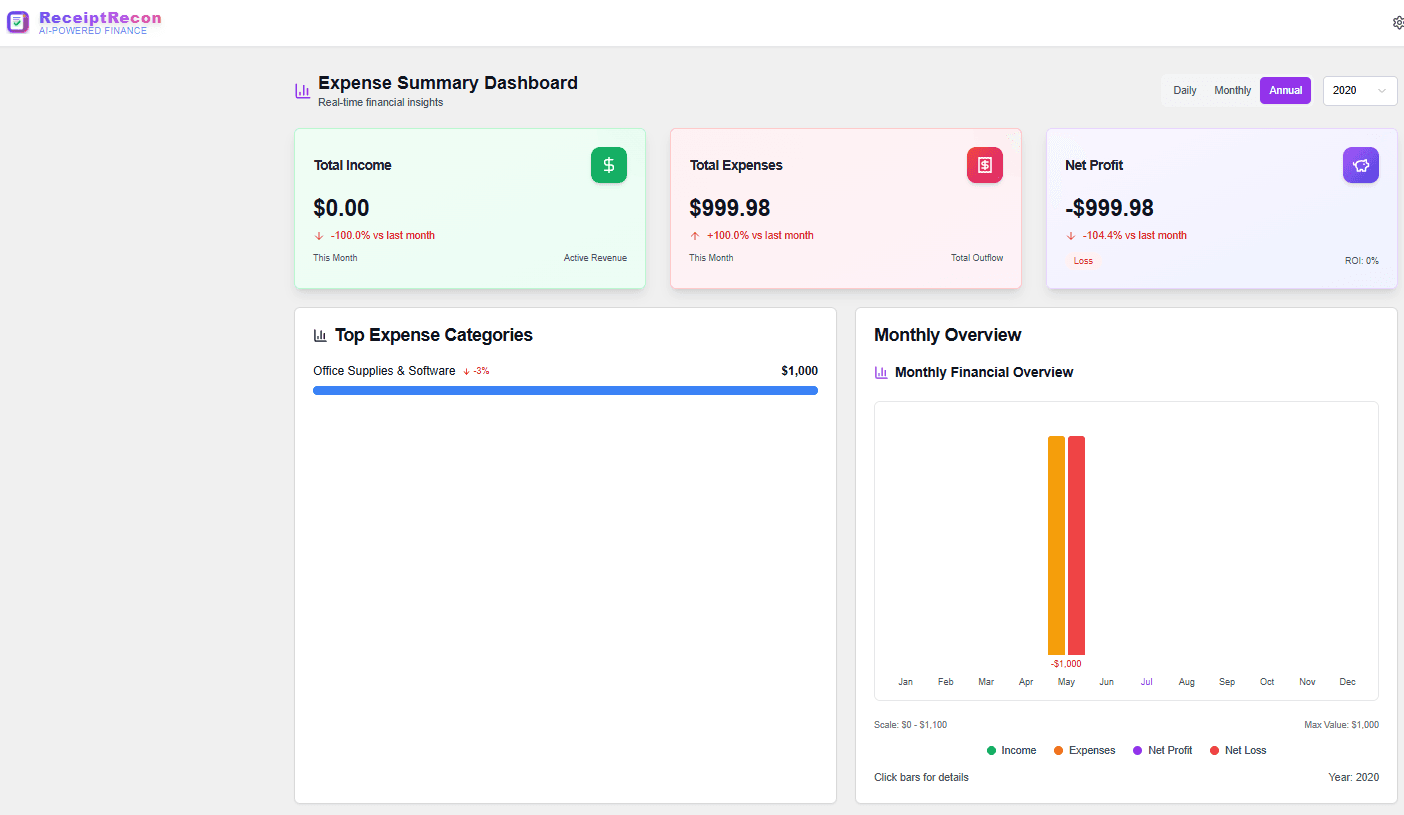
How Do Receipt Scanner Apps Work?
Receipt scanner apps follow a 4-step automated workflow:
- Capture — Use camera or upload to capture the receipt
- OCR scan — Technology scans text and numbers from the image
- AI extract — AI pulls out merchant, date, totals, and taxes
- Store & search — Receipt is saved, categorized, and searchable
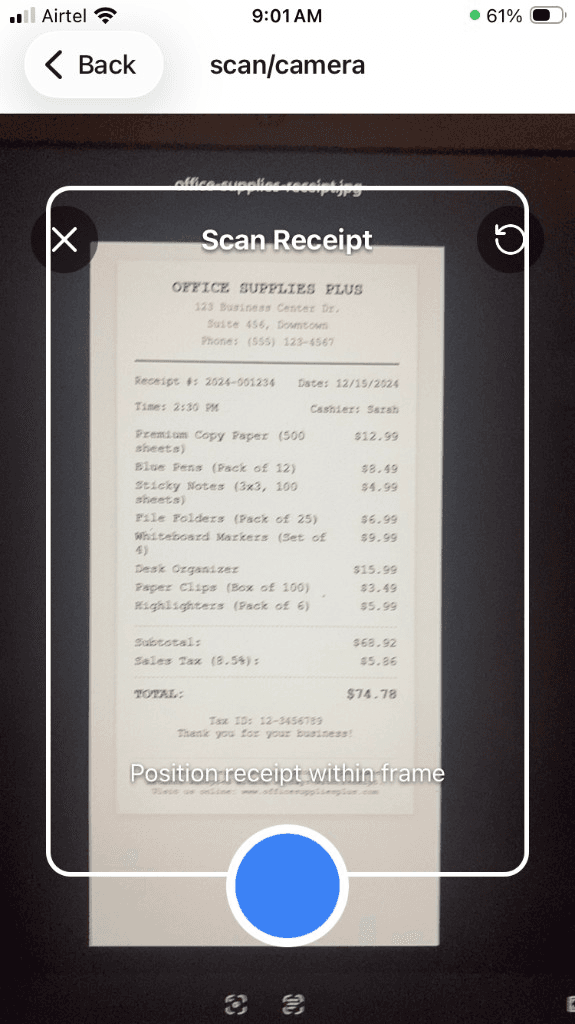
How do you scan a receipt using a scan your receipt app?
Open app → Capture receipt → Confirm extracted data → Save to cloud.
Key Features to Look for in Receipt Scanner Apps
Must-Have Features
- OCR text recognition
- AI receipt classification
- Automatic date & amount detection
- Secure cloud storage
- Search & filters
- Export to accounting tools
Advanced Features
- Line-item extraction
- Duplicate detection
- Tax-ready categorization
- Multi-device access
Explore our full feature list to see what ReceiptRecon offers.
Receipt Scanner Apps vs Manual Receipt Tracking
Receipt scanner apps outperform manual tracking in speed, accuracy, and scalability.
| Feature | Receipt Scanner Apps | Manual Tracking |
|---|---|---|
| Data Accuracy | High (AI-driven) | Low |
| Time Spent | Minutes | Hours |
| Searchability | Instant | Difficult |
| Tax Readiness | High | Low |
| Scalability | Unlimited | Poor |
Common Use Cases for Scan Receipt Apps
Who Benefits Most?
- Small business owners
- Freelancers & consultants
- Accountants & bookkeepers
- Finance teams
- E-commerce sellers
Common Scenarios
- Expense reimbursement
- Tax documentation
- Audit preparation
- Budget tracking
See how our AI receipt scanner and receipt organizer support these use cases.
How to Scan Your Receipt App-Style (Step-by-Step)
- Open the app and capture the receipt (camera or upload)
- Review the AI-extracted data (merchant, date, amount)
- Confirm and save to your cloud archive
- Receipt is now searchable and ready for taxes or expenses
Statistics: Why Receipt Scanner Apps Are Growing Fast
- • Over 64% of small businesses still lose receipts monthly due to manual handling
- • Companies using receipt scanner apps reduce expense processing time by up to 70%
- • AI-based scan receipt apps achieve 90–97% data extraction accuracy
- • The global expense management software market is projected to grow at 12%+ CAGR
Industry benchmarks aggregated from accounting software and expense management reports.
What Makes ReceiptRecon Different?
ReceiptRecon is built for accuracy, automation, and compliance—not just scanning.
- ✓ AI-first receipt extraction
- ✓ Business & tax-ready data structure
- ✓ Designed for scale
- ✓ Centralized receipt intelligence
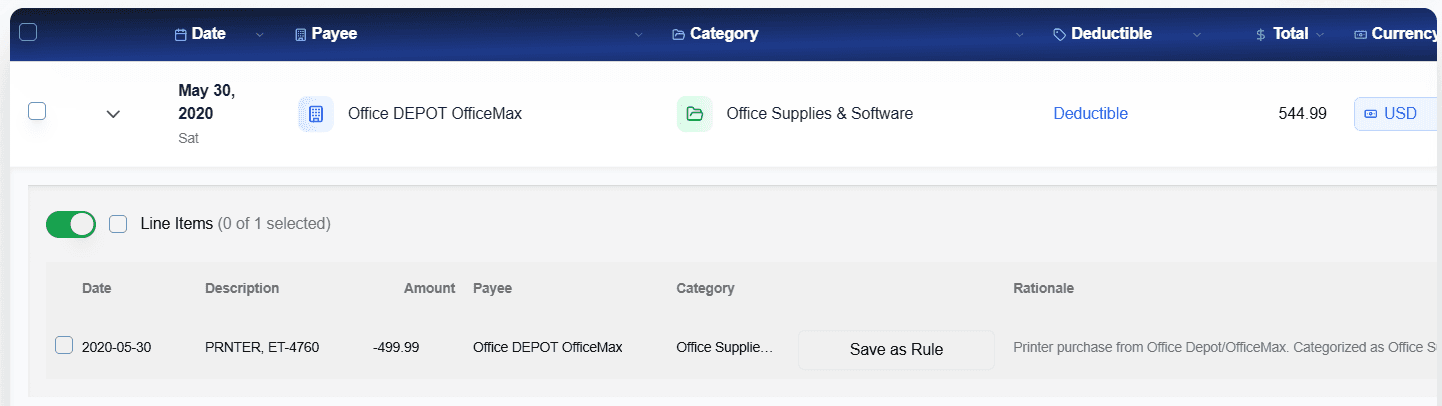
🎯 Ready to Replace Manual Receipt Tracking?
ReceiptRecon's AI-powered receipt scanner app delivers accuracy, automation, and compliance—so you spend less time on paperwork and more time on your business.
✨ What You Get:
Frequently Asked Questions
Are receipt scanner apps secure?
Yes, modern receipt scanner apps use encryption and secure cloud storage.
Can apps for scanning receipts handle faded receipts?
AI-powered apps can often recover faded text better than manual entry.
Do scan receipt apps work for digital receipts?
Yes, most apps support email and PDF uploads in addition to camera capture.
Final Verdict: Choosing the Right App for Scanning Receipts
Receipt scanner apps are no longer optional—they are essential tools for modern businesses. By replacing manual processes with AI-powered automation, businesses gain speed, accuracy, and compliance.
If you need a reliable, scalable solution—ReceiptRecon is built to handle real-world receipt complexity.